Pented (EdTech App)

UX Design/Product Design
Project Overview
Due to COVID-19, education for children became stressful for low to middle-income parents in Gujarat, India. With the lack of online educational resources, Pented was created to provide them with a smooth and hassle-free learning experience. The online learning application aims to reach every student, spanning from densely populated urban areas to the most remote villages in Gujarat.
My Contributions
I was the only designer on the project so everything you see was done by me. I was involved in everything from defining the problem and personas, creating user flows and wireframes, all the way to creating final designs.
Research
Based on the surveys done by the company's product team:

1. Students do not like their mundane course curriculum.
2. Some concepts are very hard to understand and explain, especially for teachers, and it requires a lot of visualization.
3. Studying is a challenge especially in government schools and that is why the students expect they can use the app to cover the topics.  
4. Students lack the motivation to learn.
5. Most subjects, especially Mathematics, seem dull to the students.
6. Students do not like how the Pented App looks and feels.  

Problem
Students are not motivated enough to learn when the learning materials are difficult to understand, static and boring.

"How might we redesign an engaging and visually immersive learning experience for students to motivate them to learn with Pented?"
Target Audience
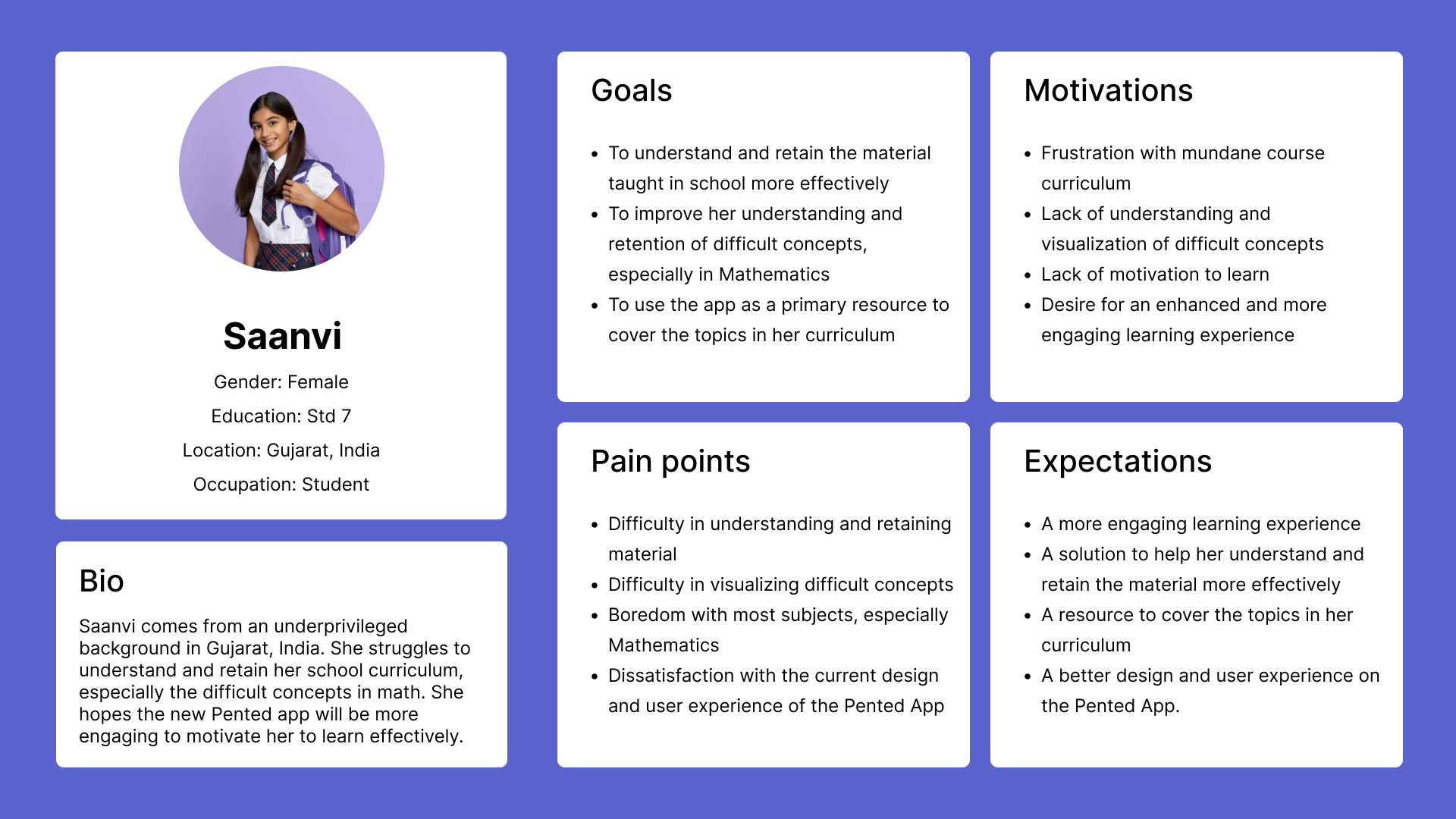
Students from Gujarat who are enrolled or not enrolled in the school year. I have developed two user personas to better empathize with the target audience and prioritize goals according to their needs.
Ideation
To start the design process, I did secondary research to explore the factors that drive students' motivation to learn and a product analysis on the current app and its competitors. Upon the insights gained, I came up with several concepts for app features and started sketching the ideas onto paper.
User Flow
With the initial ideas sketched out, I started to map out the user flow of the app.
Low-Fidelity Wireframes
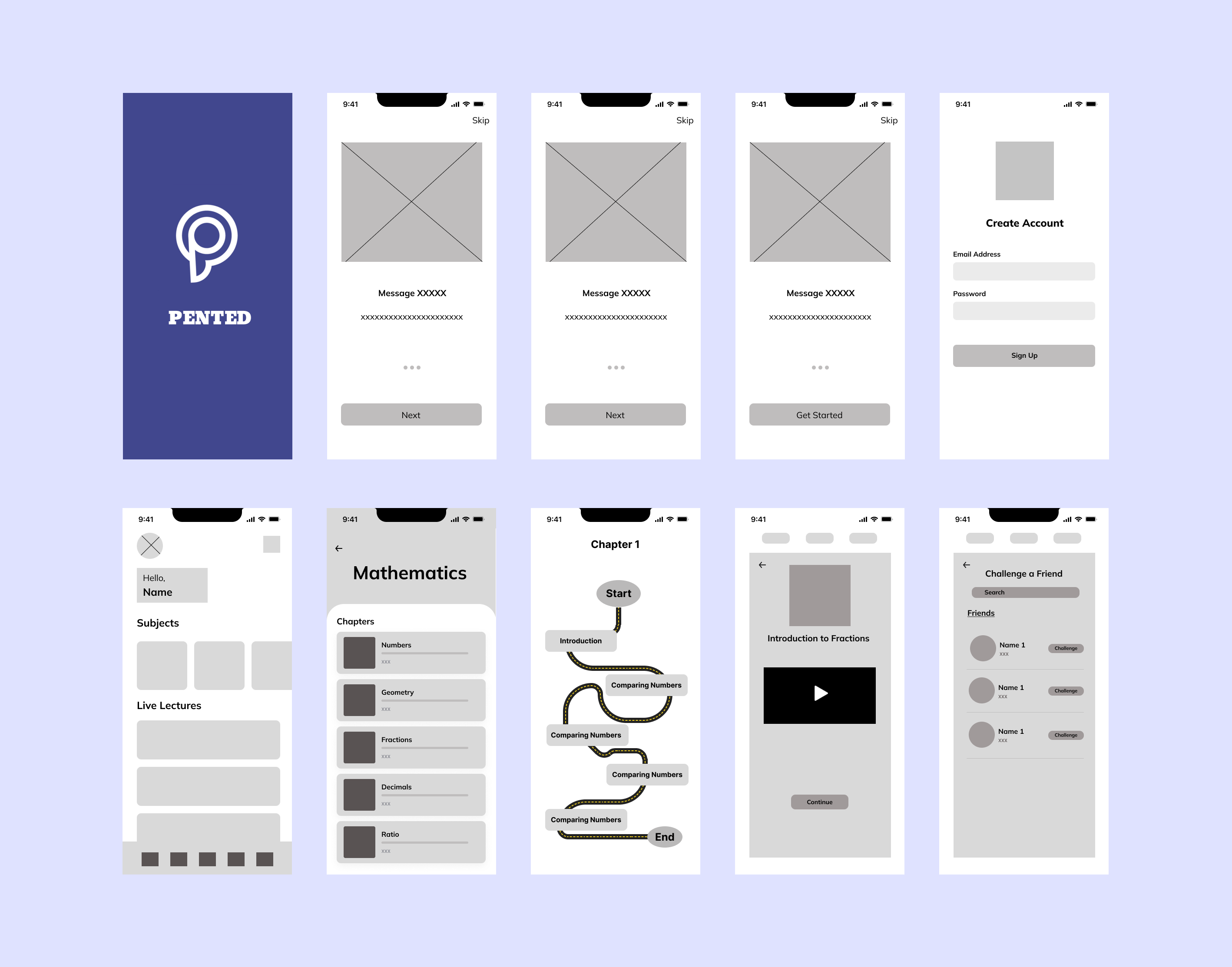
I explored various layout possibilities using low fidelity wireframes to focus on the overall structure and flow of the user experience.
Previous Design Screens
The previous design screen lacks in some aspects such as its user interface which is not appealing enough to the users. In addition, the course curriculum is difficult to understand without much visuals which makes it boring for students to learn.
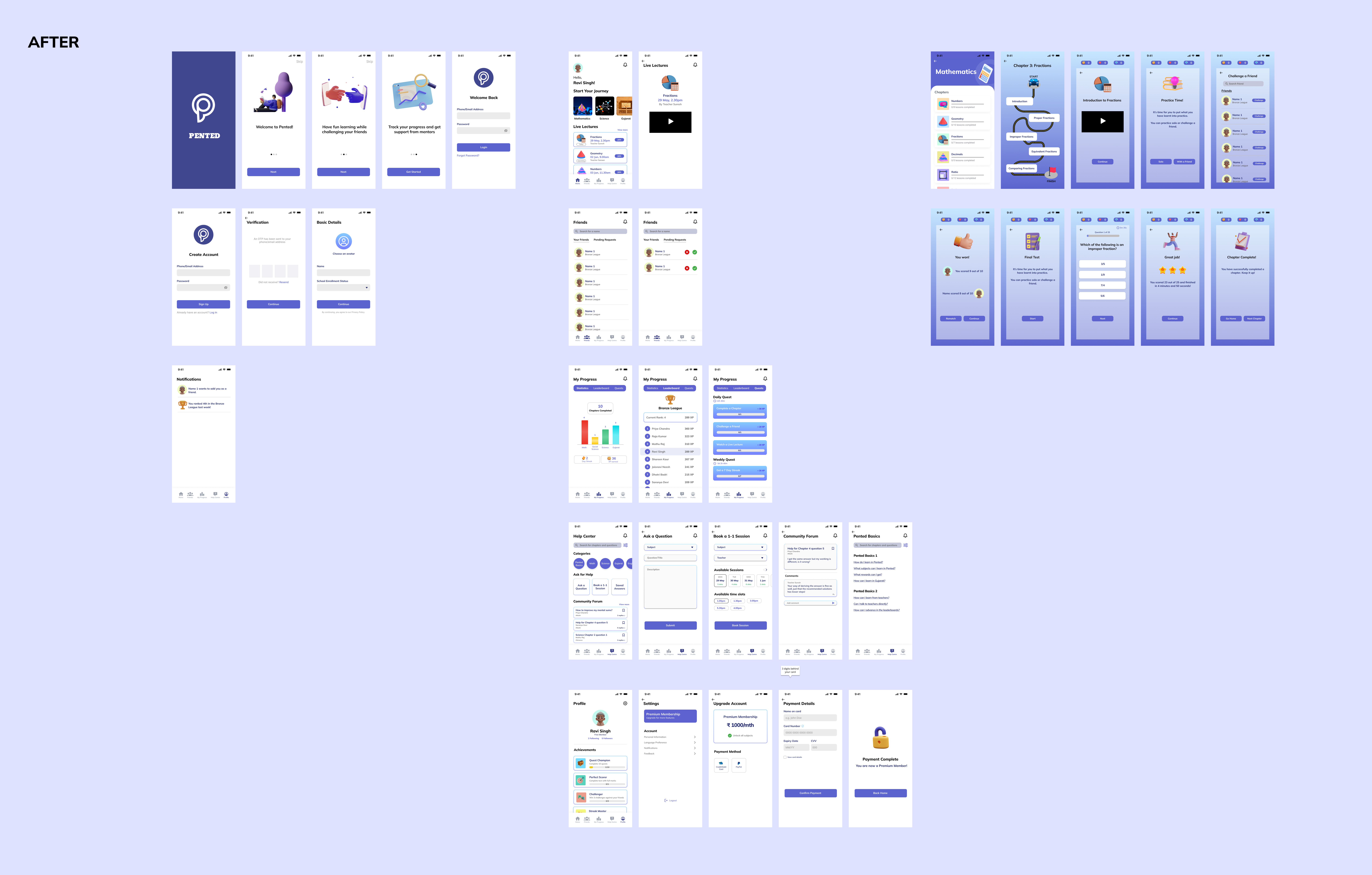
Final Design Screens
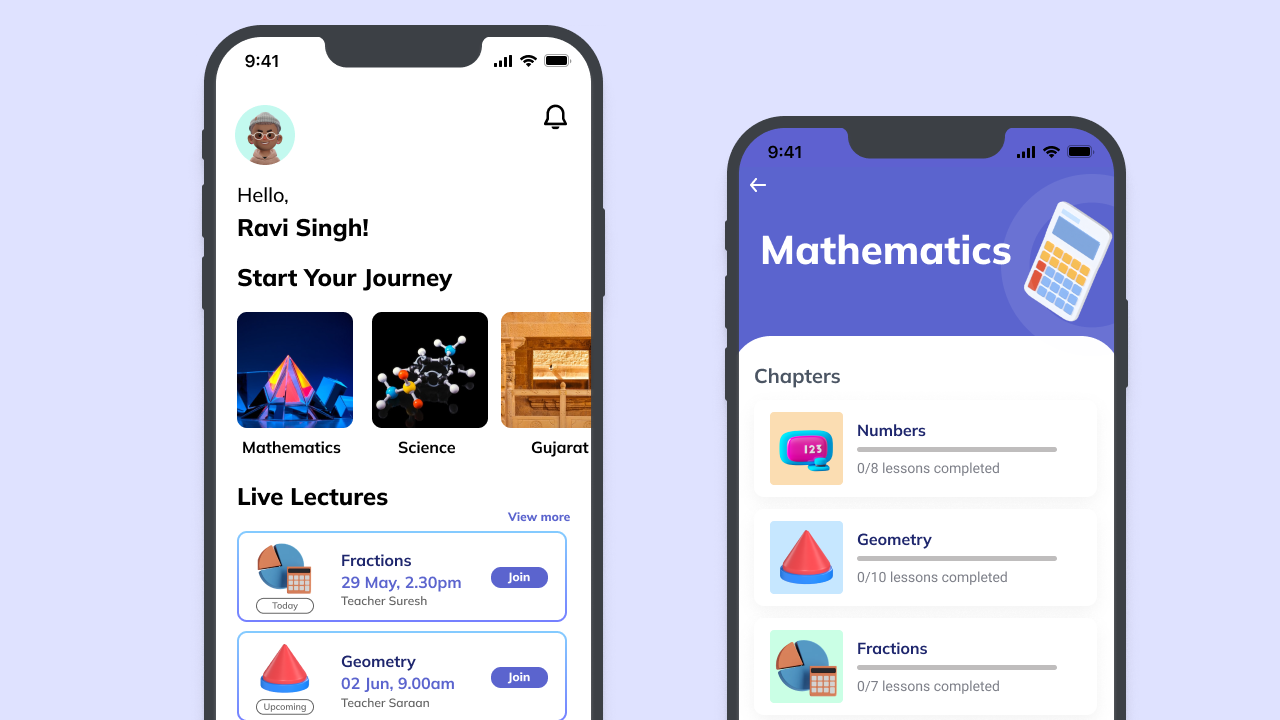
The redesigned app is designed with interactive learning experiences gamified to motivate students to learn and build learning habits.
Prototype
Experience the prototype below.
View prototype
Reflection
While completing this UX design case study, I learnt to break down complicated designs into small, manageable chunks to ease the development and possible issues along the way. I followed a user-centered approach, conducting research to understand user needs. Through ideation and prototyping, I iteratively refined the design to ensure usability and effectiveness. Moving forward, I am excited to continue refining my skills and taking on new design challenges that push the boundaries of user-centered design.